
Collecting AAU Information
WrestlingIQ can be configured to require members to input their AAU ID, expiration date, membership type, and even a screenshot of their AAU membership. Here's how it works.
Configure your AAU settings
With your admin account, go to Team under the Settings tab. Switch to the Insurance tab along the top menu bar. On this page you will find a button to edit AAU configuration settings.
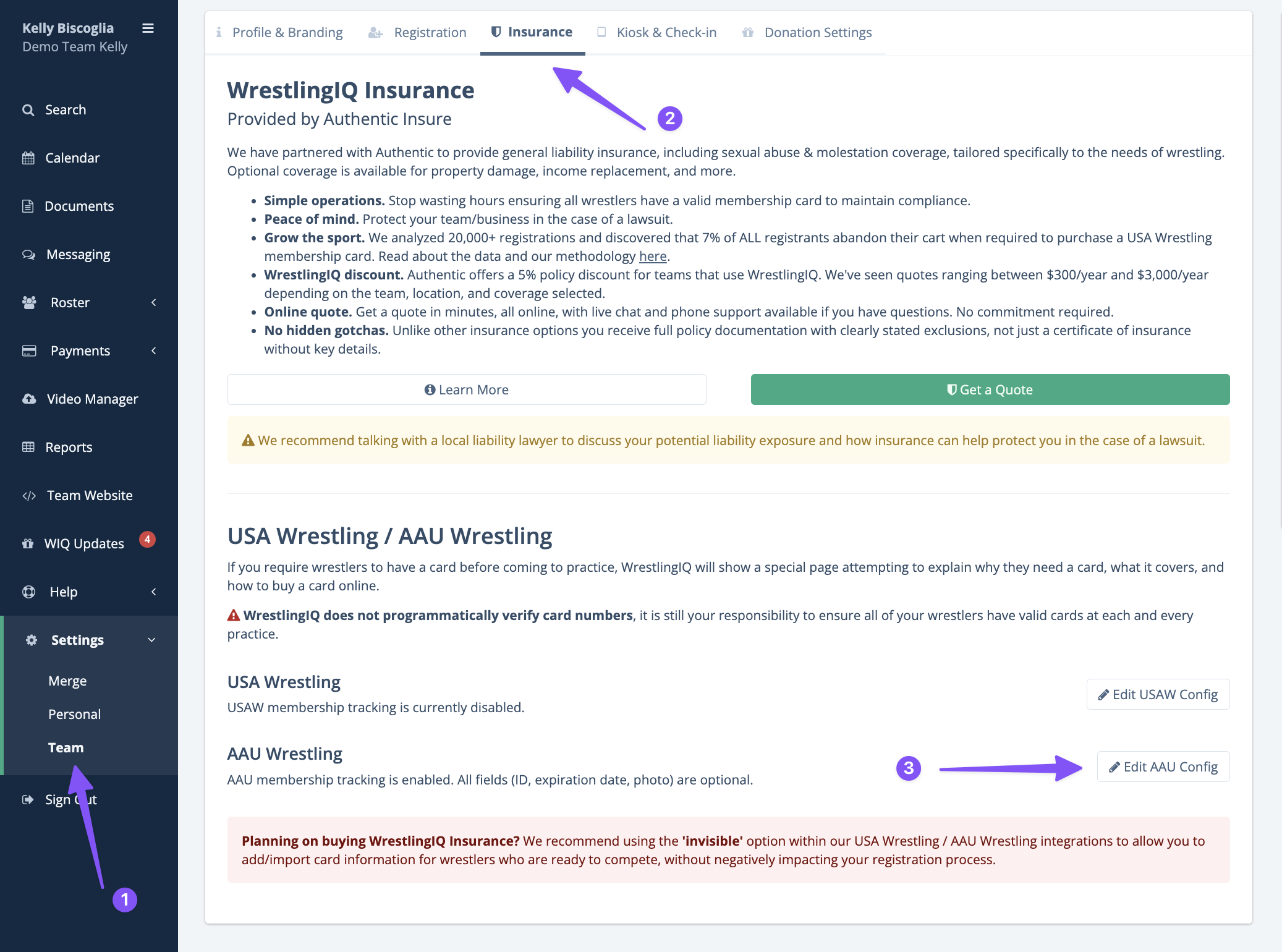
Within this page you will see the options for AAU information collection for your team.
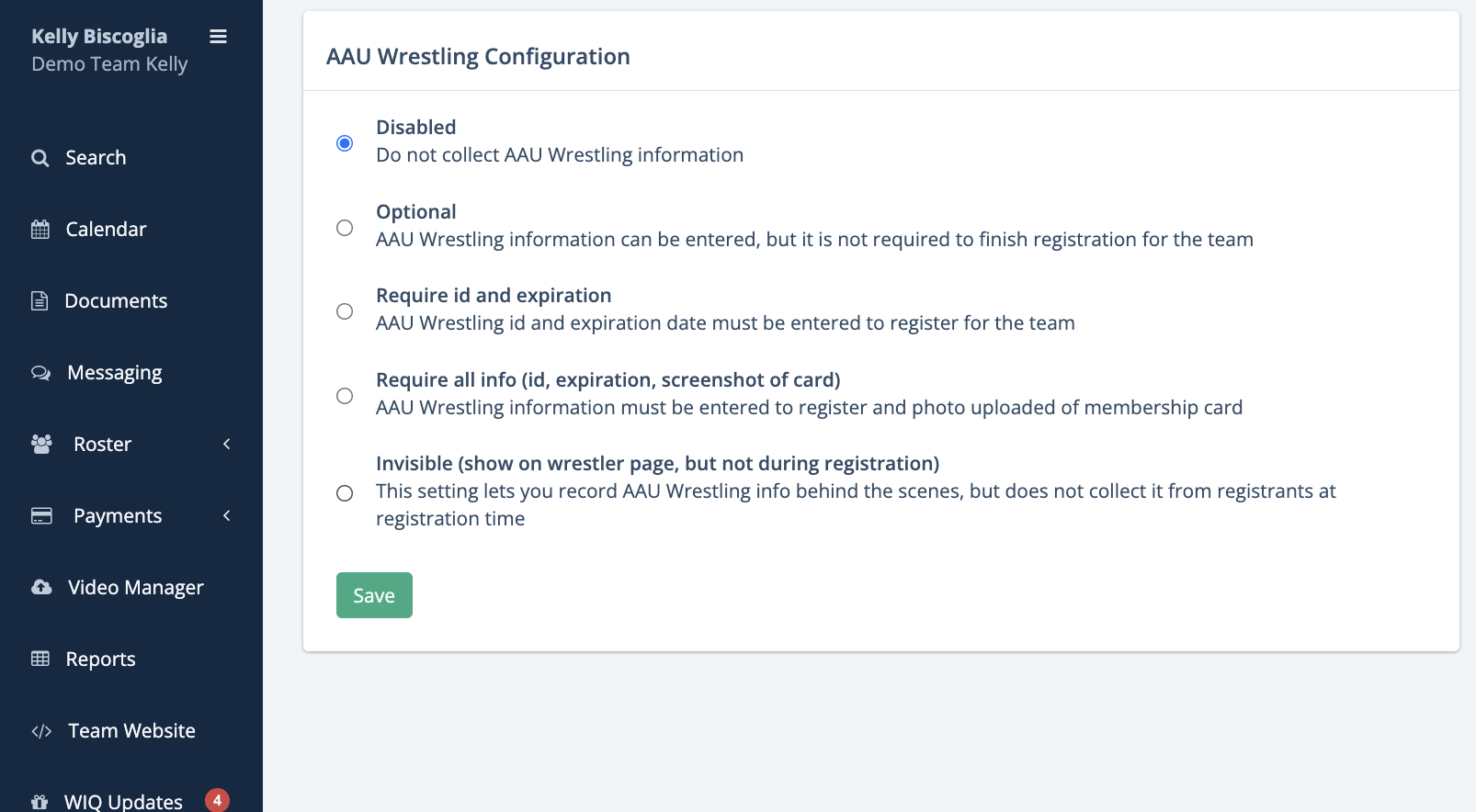
If your team bulk buys AAU cards for your members, use the invisible option. With the invisible option, you can use the 'AAU System Export' report, upload that CSV to the AAU website to purchase it, export your roster from AAU, and then import them into WrestlingIQ.
AAU Reports
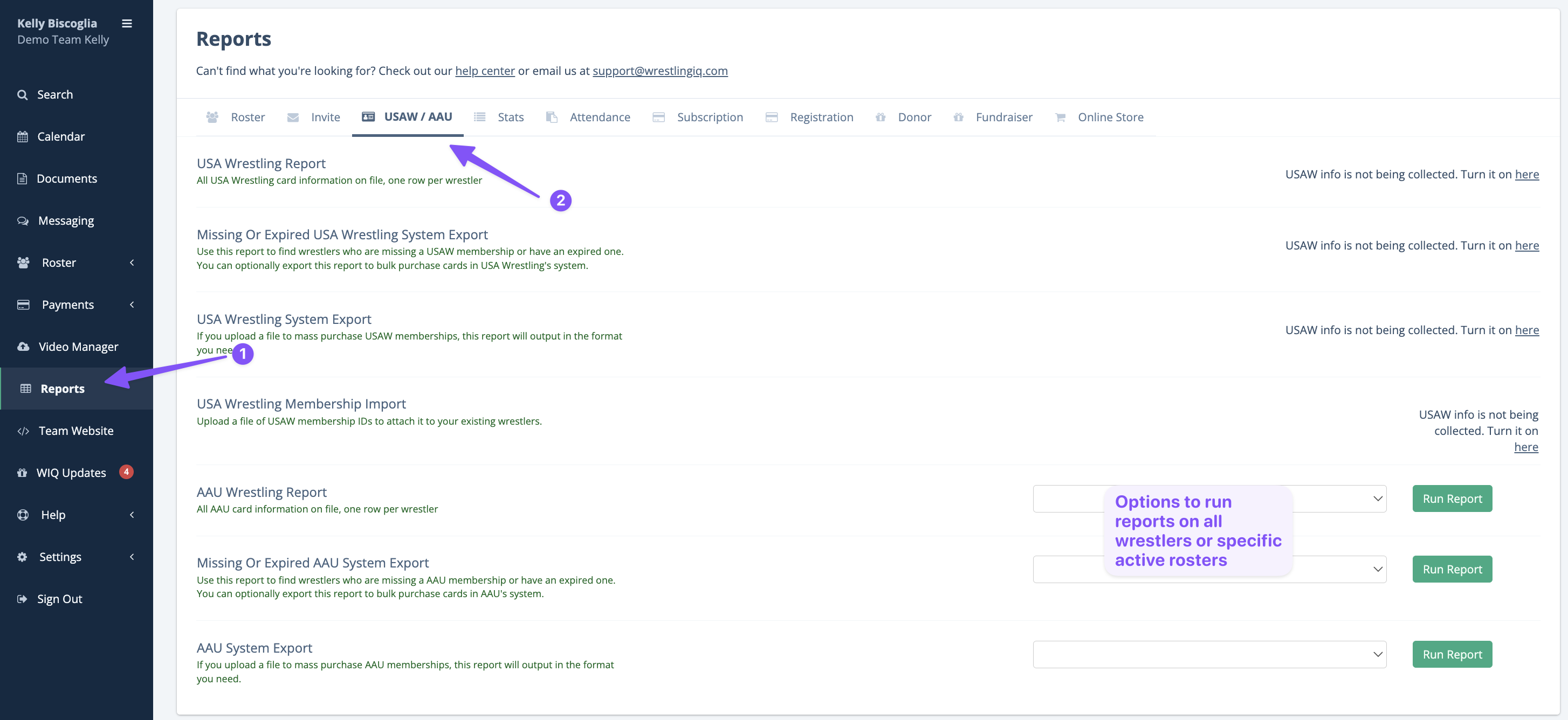
To generate reports on AAU information, go under the USAW/AAU tab along the top menu under Reports. If AAU information collection is enabled there will be options to run reports on specific active rosters or all wrestlers.
Reports available:
AAU Wrestling Report: All AAU card information on file including AAU ID, membership type, and expiration date for each associated wrestler.
Missing Or Expired AAU System Export: Use this report to find wrestlers who are missing a AAU membership or have an expired one. You can optionally export this report to bulk purchase cards in AAU's system.
AAU System Export: If you upload a file to mass purchase AAU memberships, this report will output in the format you need ( First, Middle, Last Name, DOB, Gender, Phone Number, Email Address, Street Address, City, State, Zipcode).
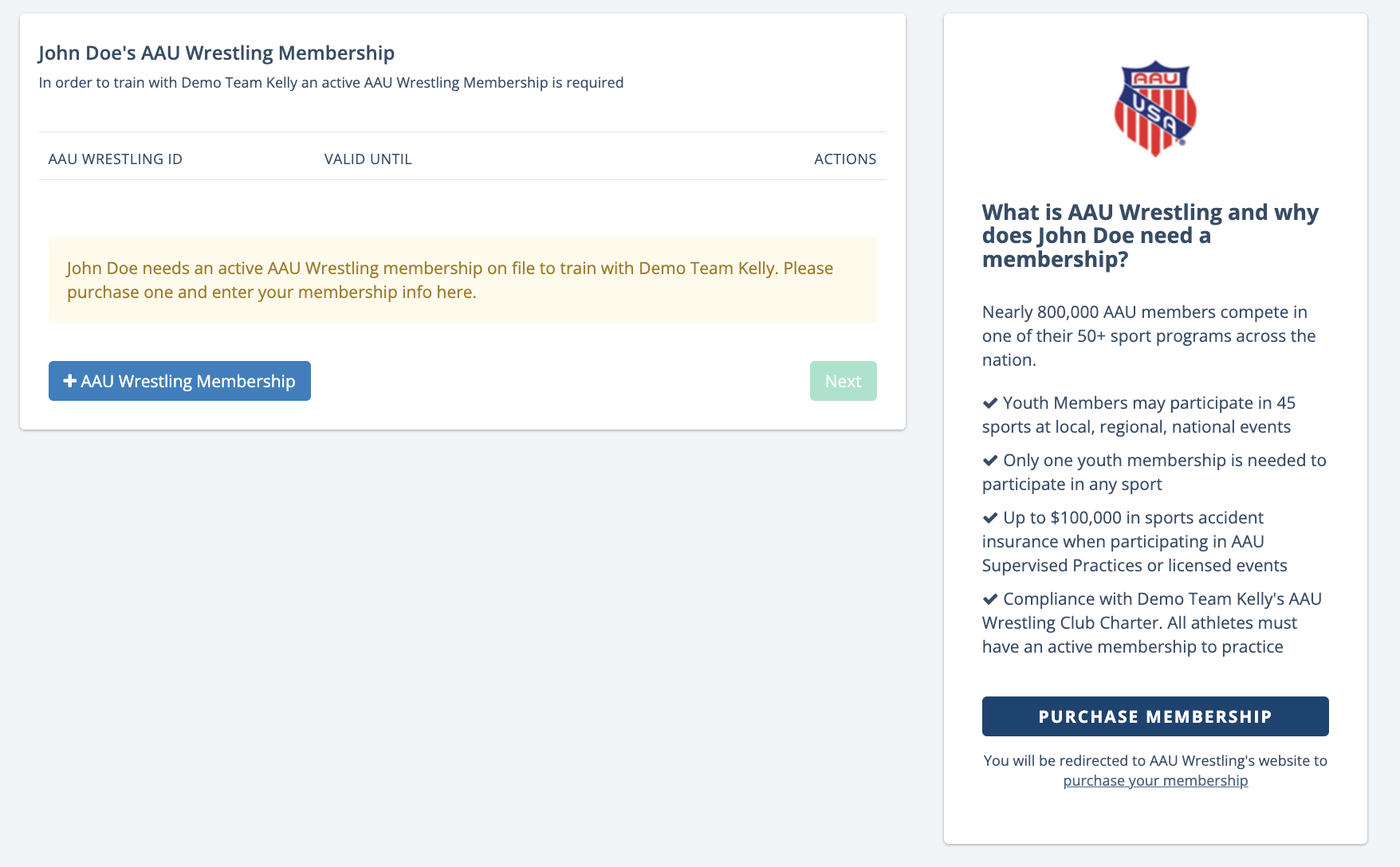
During sign up, AAU info will be collected
AAU Numbers are not verified
Note that WrestlingIQ does not have the ability to verify that card numbers are valid, just that the parent enters something during registration.
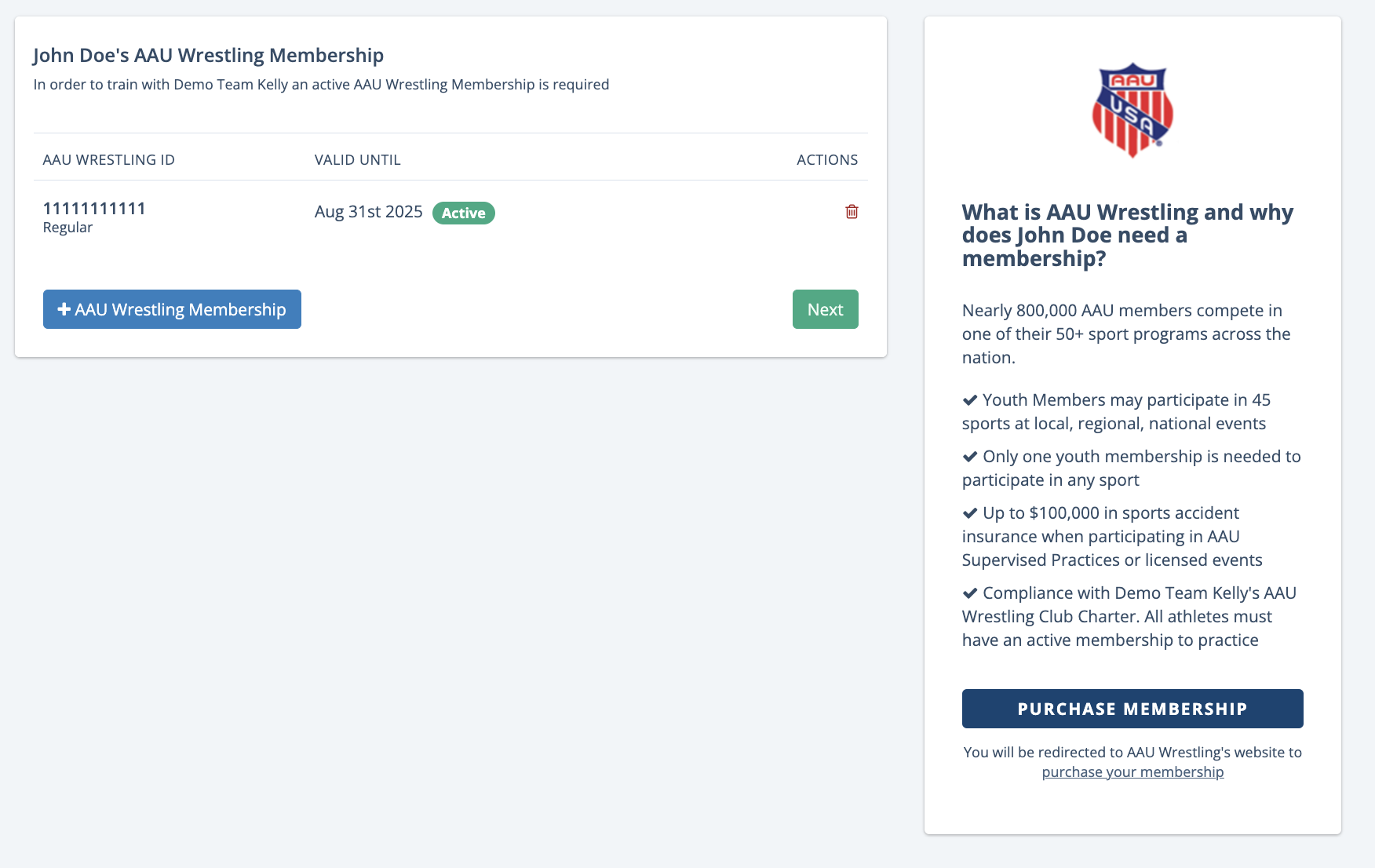
Here is what the AAU screen looks like during sign up, depending on what you have configured. If you have AAU information collection disabled, registrants will never see these screens.
Once they have an active card, it will look like this:
AAU info is available on each wrestlers profile and WrestlingIQ ID cards

